


1. Introduction
Paramedic + IT owner (unique perspective)
Why: binders/PDFs failed in field → built app
Text or Flow chart style protocols?
Who:
How many providers?
911/Transport?
ALS/BLS?
Ask: “Do you run in poor-signal areas?”
Credibility: Several agencies already using it
2. The Problem
Ask: “How do you access protocols now —
Binders
PDFs
Apps?”
Show Demo
Stress line: “You don’t want to fumble in front of a patient’s family.”
Stress line: “You don’t want to fumble in front of a patient’s family.”
Afib RVR Scenario 2.mp4
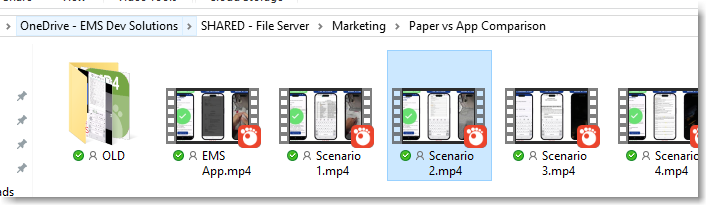
3. Now vs. Before Video
RSI with binder/PDF → flipping pages, manual math
App → instant protocol + med card + dosing
Highlight 42 sec time saved
Ask: “In an arrest/airway emergency, which would you want?”
4. Core Demo – Search & Navigation
Tag-based search (SOB/dyspnea/shortness of breath → same protocol)
Search “STEMI” → instant protocol
Suggest Tags
Adjust Font Size
Click med → drug card → links back to protocols
Jump between protocols & meds without losing place
Cric Demo
Log RX
5. Real-World Scenarios (talking only)
Hypotensive + ketamine caution/dose
Trauma call w/ parents watching → avoids fumbling
New medic: “Binder was my bible — this makes it instant”
Route refresher en route
6. Offline Reliability
Works offline
14-day check-in safeguard
7. Customization & Operational Tools
Mile markers → built-in map
Phone book → click-to-dial ERs, helipads
HR docs/handbook in-app
Triage charts + IBW calc (vent tidal volume)
Training videos (QuickTrach, EZ-IO)
Ask: “What resources would your crews want?”
8. Admin Simplicity
Backend: copy/paste tags, numbers, PDFs
Updates go live instantly (no app store wait)
Presentation Engagement Checklist (with “Now vs. Before” Video)
1. Opening & Credibility
✅ Introduce yourself as both a paramedic and IT company owner.
✅ Share your “why” story — frustration with binders/PDFs in the field → built an app to solve it.
✅ Briefly mention other agencies already using it (especially ones in Iowa for local credibility).
2. The Problem (Set the Stage)
✅ Ask how they currently access protocols (binder, PDF, etc.).
✅ Set the scene: binders falling apart, PDFs slow to scroll, updates a pain to distribute.
✅ Share real call stress line — “You don’t want to be fumbling in front of a patient’s family.”
3. Show the “Now vs. Before” Video
✅ Play short side-by-side video:
Before: Binder/PDF search for RSI → multiple steps, flipping pages, manual math.
Now: App search → instant protocol + med card + dosing.
✅ Point out time difference (e.g., 42 seconds saved).
✅ Pause to ask: “In a real arrest or airway emergency, what would you rather be using?” — this usually triggers discussion.
4. Core Demo — Protocol Search & Navigation
✅ Show tag-based search (SOB / Dyspnea / Shortness of Breath → same protocol).
✅ Demonstrate clicking drug names inside protocols → opens drug card instantly.
✅ Mention service-specific dosing but universal precautions.
✅ Highlight jumping between related protocols and meds without losing place.
5. Real-World Scenario Example
✅ Run through a high-stress case (pediatric seizure or hypotensive patient needing ketamine).
✅ Show how quickly search brings up the right protocol and drug dosing.
✅ Tie in special considerations (e.g., ketamine in hypotensive patient).
6. Offline Reliability
✅ Demonstrate offline mode and explain 14-day check-in safeguard.
✅ Ask if they operate in poor-signal areas — link benefit to their situation.
7. Operational & Custom Content
✅ Show examples: mile markers, phone book, employee handbook, triage charts, vent tidal volume chart.
✅ Ask them what custom resources they would add.
✅ Mention ability to embed videos (QuickTrach, EZ-IO, etc.).
8. Admin Simplicity
✅ Briefly show backend edits — adding tags, phone numbers, and PDFs.
✅ Emphasize that updates go live instantly to all users without app store updates.
9. Future Features (Teaser Section)
✅ Weight-based drug calculator demo (ketamine example).
✅ Mention Braslow tape integration for peds.
✅ Tease AI-assisted protocol lookup (scenario → relevant protocols).
✅ Mention push notifications for MCIs/diversions.
10. Funding & Cost
✅ Bring up Iowa EMS $8k/year grant if applicable.
✅ Discuss multi-agency sharing if they have a shared medical director.
✅ Present cost as covered by grant or split between agencies.
11. Wrap-Up & Engagement
✅ Ask: “If you could add one thing to make this perfect for your crews, what would it be?”
✅ Offer to set up a demo account with their own protocols.
✅ Close with reassurance — provider-first design for speed, accuracy, and safety in the field.
RE-DEMO SETUP & INTRODUCTION
Personal Introduction: “I’m Sam, owner of the app development program, based in southeast Iowa”
Company Background: “I own an IT company and I’m a paramedic – weird hobby but it gives me insight into the pain points”
Problem Statement: “We used to have paper protocols with lots of issues – PDFs, binders, hard to search”
Ask about their current setup: “What are you using now – binders, PDFs, or other apps?”
Gauge their protocols: “Are they text-based or flowcharts? BLS/ALS mixed?”
CORE DEMO FLOW
1. Start with the Search/Tagging System (Your biggest differentiator)
Demo the tag search first: “Type ‘SOB’ – boom, there’s your dyspnea protocol”
Show multiple ways to find same protocol: “Some call it SOB, shortness of breath, dyspnea – we have tags for all”
Demonstrate provider-suggested tags: “Providers can suggest new tags that update for everyone”
Compare to traditional search: “With PDFs, searching ‘burn’ gives you everything with that word”
2. Mobile-Friendly Design
No pinch-and-zoom: “Everything wraps to mobile – no scrolling left and right like PDFs”
Font size adjustment: “Providers can set default font size – no more squinting”
Show PDF comparison: “This is what PDFs look like – hard to read, right?”
3. Interactive Drug Cards
Clickable medications: “Click on nitroglycerin and it takes you right to the drug card”
Back-linking: “Drug cards link back to all protocols that use them”
Real-world example: “New medics carrying binders like a bible – this gets them info fast”
4. Practical Features
Phone book integration: “Click and it dials – no writing down numbers”
Offline functionality: “Works without internet – built for rural areas”
Two-week failsafe: “Prevents outdated protocols – safety feature”
KEY CONVERSATION STARTERS
Weight-Based Medications (Always gets interest)
Ketamine example: “Do you use ketamine? Here’s the calculator – just enter weight”
Coming soon feature: “Med calc is launching in 1-2 months”
Broselow tape integration: “We’re adding Broselow functionality”
Real-World Scenarios
New medic story: “I just got my medic 6 months ago – this is great for new providers”
Trauma call example: “When parents are watching, you don’t want to thumb through a binder”
Route refresher: “Pull up protocol while responding to refresh yourself”
Customization Examples
Mile markers: “Dispatch gives mile marker 34 – we added maps so you know where that is”
Tidal volume charts: “Provider requested ideal body weight formula – added in 2-3 minutes”
Quick trach video: “Had a scary case – now we have the procedure video embedded”
Multi-Agency Solutions
County-wide approach: “Three ambulance services, same protocols, one system”
Grant funding: “Iowa EMS grant program – $8,000 annually, this costs $1,500”
Shared medical director: “Updates once, everyone gets it instantly”
BACKEND DEMONSTRATION
Show how easy updates are: “Copy and paste – no typing to avoid errors”
Live update demo: “Change something and it updates instantly on all phones”
Tag management: “Approve or deny suggested tags from providers”
Phone book management: “Add sections, numbers – super user-friendly”
ADDRESSING COMMON CONCERNS
Technical Questions
Internet requirements: “Works offline, just needs check-in every 2 weeks”
Multiple agencies: “Can clone systems or create separate logins”
Security: “Password protected – patients can’t access your protocols”
Updates: “Live updates, no app store downloads needed”
Comparison to Competitors
vs Hand Heavy: “They require buying equipment – we’re just protocols”
vs Acid Remap: “Similar price but our tagging system is unique”
vs PDFs: “No pinch-and-zoom, mobile-friendly, searchable tags”
PRICING DISCUSSION
Ask provider count first: “How many providers between transport and first responders?”
Present annual pricing: “$1,500 for up to 50 providers”
Setup fee: “$500 one-time setup fee”
White glove option: “$1,500 if you want us to input everything”
Grant funding suggestion: “Check Iowa EMS grant program for funding”
CLOSING & NEXT STEPS
Demo app download: “Download ‘EMS Protocols To Go’ to try the demo”
Sandbox access: “I can give you demo password to test: 1234”
Timeline questions: “How quickly are you looking to implement?”
Follow-up materials: “I’ll email you the pricing sheet and demo info”
Group call option: “Want to get your team together for another demo?”
CONVERSATION SPARKERS THAT WORKED WELL
Most Engaging Topics:
Med calculations – Everyone asks about this
New medic struggles – Resonates with experienced providers
Rural connectivity – Offline functionality is crucial
Grant funding – Gets budget-conscious agencies interested
Real emergency scenarios – “Parents watching during trauma call”
Customization stories – Mile markers, videos, specific requests
Questions That Generate Discussion:
“Do you use ketamine?” (leads to med calc discussion)
“How often does your medical director update protocols?”
“Do you have EMD dispatchers or regular 911?”
“Are you county/private/hospital-based?” (leads to funding discussion)
Book a Pilot Call
Leave your details and we'll get back to you shortly to schedule a call